

The service catalog
Every published, enabled form is a catalog item employees can find under Browse Catalog. From the workspace, Open in service catalog shows exactly what they see, and its link is stable enough to share directly or pin in a channel.The link is unavailable until the form has a published version, and while the form is disabled or you’re viewing an older version. The tooltip says which applies.
In a ticket, offered by the Help Desk Agent
When somebody describes a request one of your forms handles, the Help Desk Agent opens that form in the ticket thread. The requester never has to know it exists.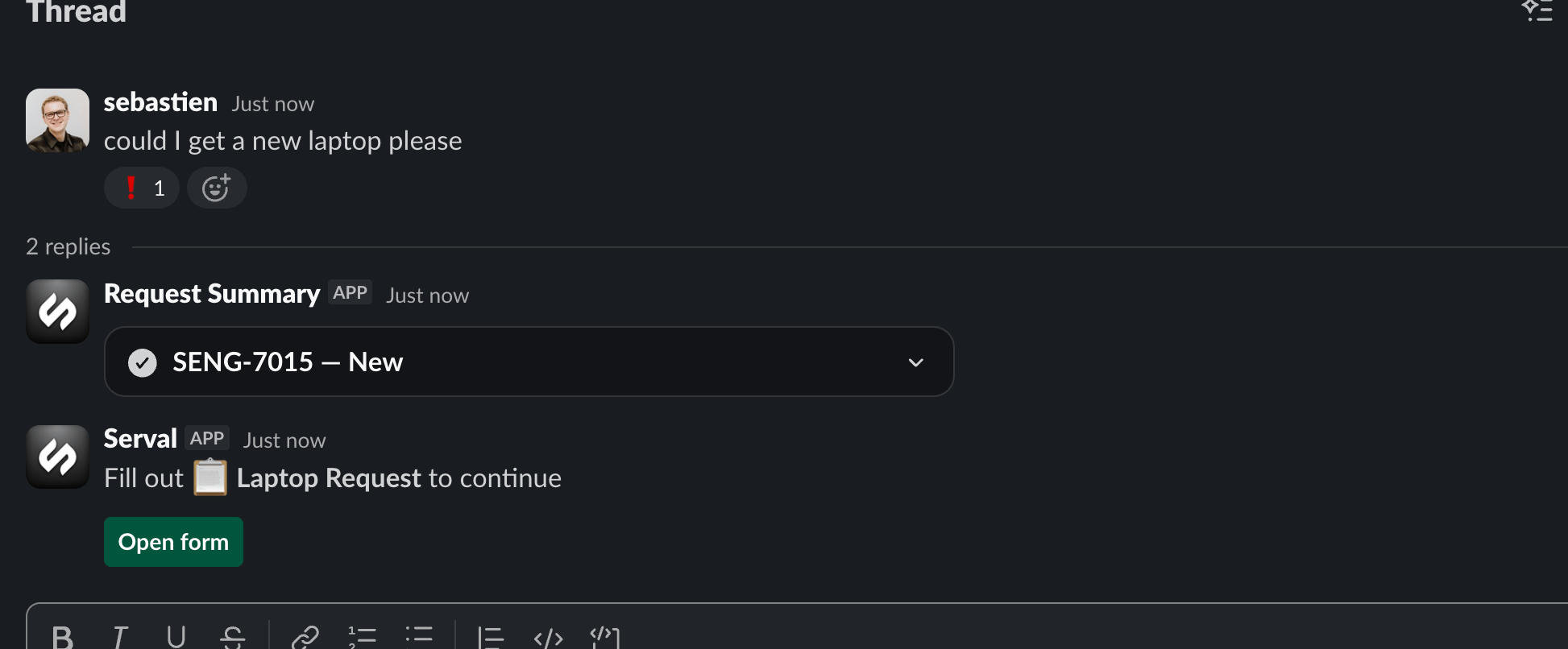
The agent offers the form in the thread instead of asking questions one at a time
Slack modals
Open form renders the form as a native Slack modal.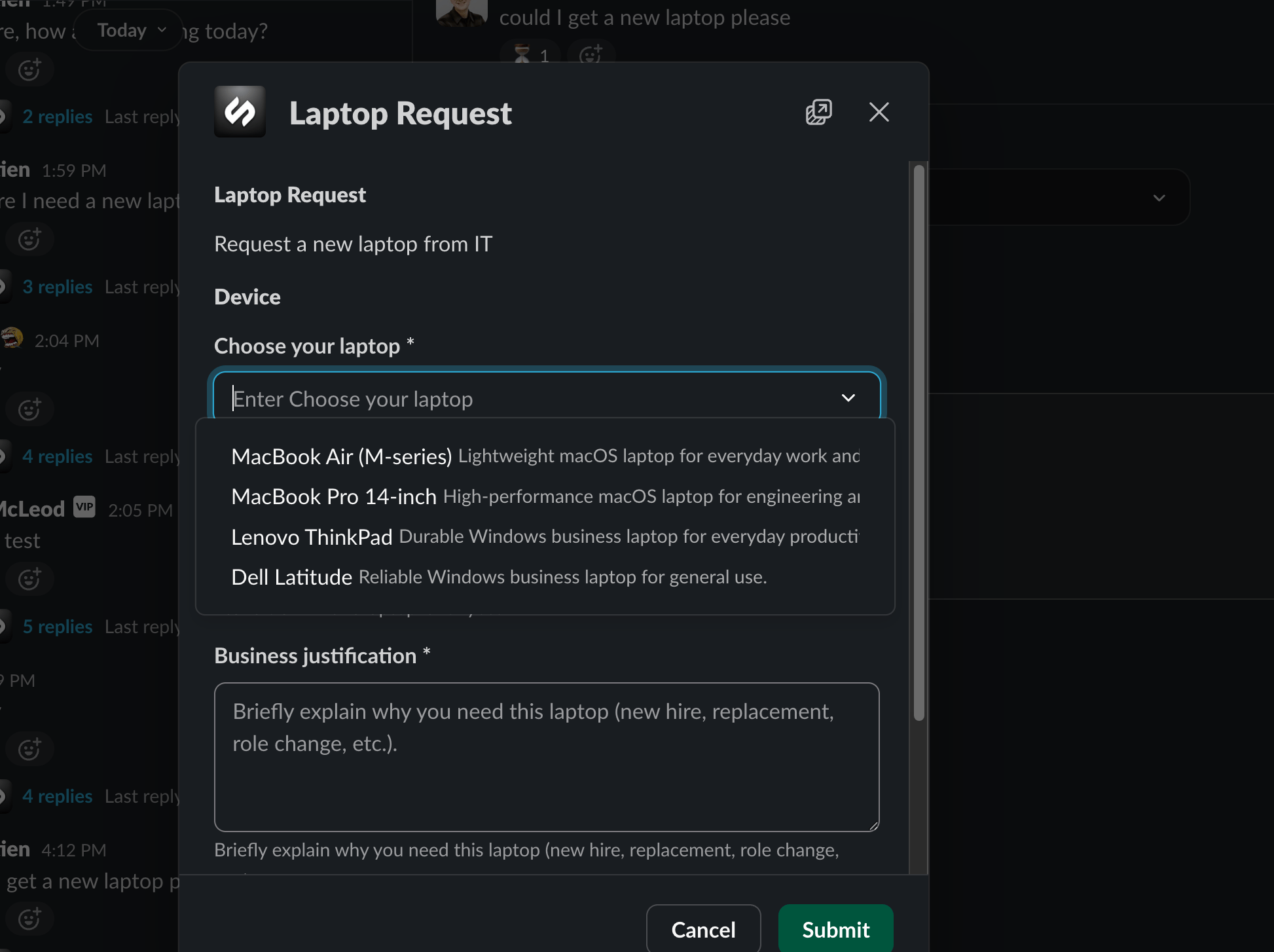
The same form as a Slack modal
Anything Slack can’t render links out to the full form rather than dropping a question.
Control who can open a form
Can be opened by, in the workspace, sets the audience:- Anyone in the org (the default): every employee can find and submit it
- Selected access profiles: only people matching those access profiles
The audience controls filling, not building. It has no effect on who can edit the form, and previewing your own draft is never gated, so you can always test a restricted form yourself.
What the requester experiences
- Errors are specific, on the field that caused them, in your wording
- Only relevant questions appear, as they become applicable
- Progress survives a publish. Someone mid-form finishes on the version they opened, never reset
- Submitting starts the work, and the outcome appears where they filled the form
Permissions
See Permissions for role assignment.
Manage forms
Versions, run history, folders, copies, disabling, deleting.
Logic and workflows
Conditional questions and workflows that run inside the form.