

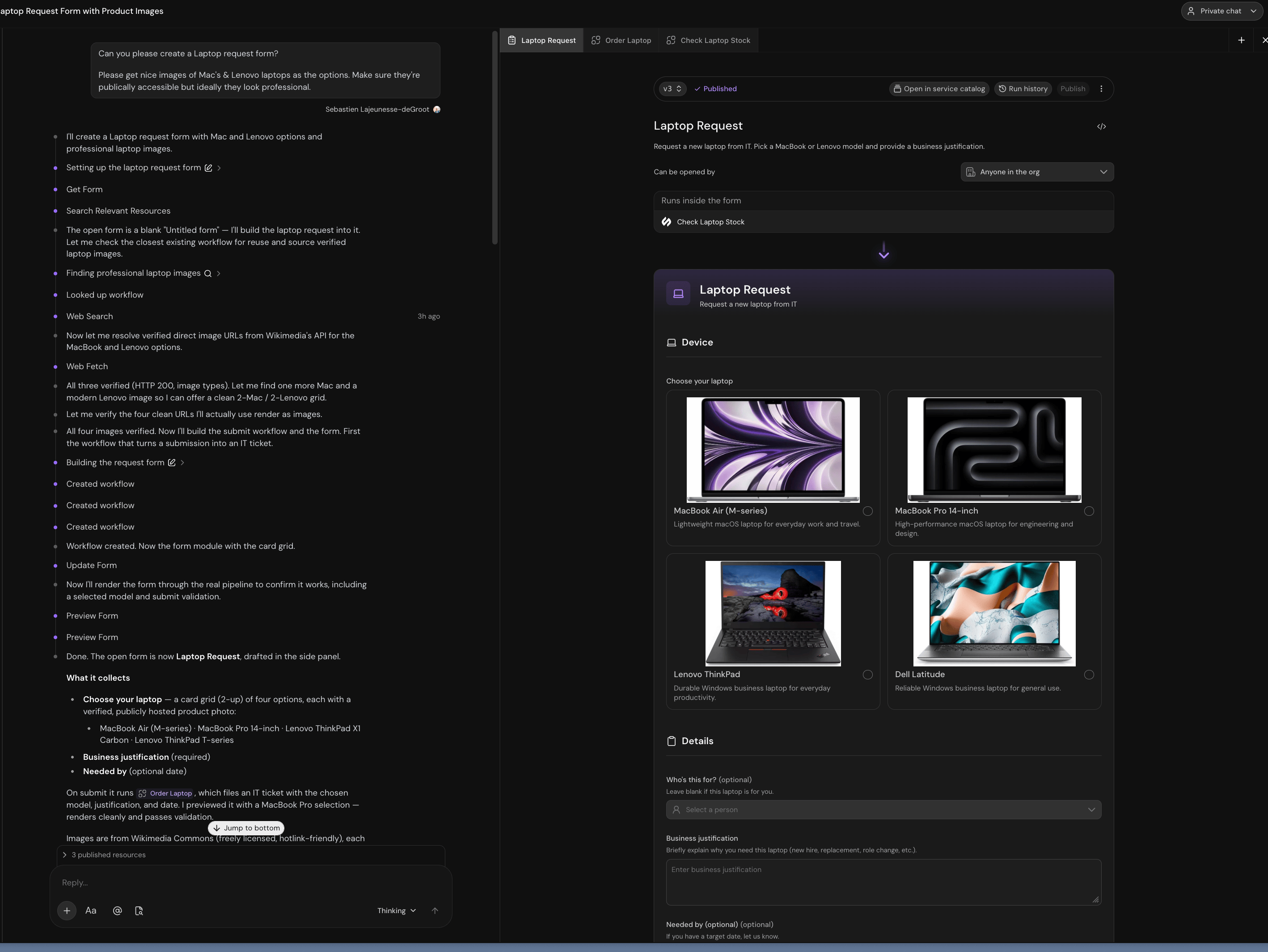
Building a form with Catalyst. The workspace on the right previews it live.
Build it
1
New form
In the compact rail, go to Library → Forms → New form. In the classic sidebar, open Forms in the Service Management section, then select New form. Serval opens the Create a new form gallery with three ways to start:
- Describe your form in the top Create a form that… box and let Catalyst build it (the path this guide follows).
- Under Or start from a working form, pick a ready-made template such as a laptop request, expense claim, or discount approval. Each template comes with a working submit workflow, so you can submit the new form right away and edit it from there.
- Choose Create blank form to open an empty Untitled form.
2
Describe what you want
Be specific about the questions, the options, and what happens on submit:
Create a laptop request form. Options should be MacBook Air, MacBook Pro 14-inch, Lenovo ThinkPad, and Dell Latitude, shown as cards with product photos. Require a business justification. Let people optionally say who it’s for and when they need it. On submit, file an IT ticket with the chosen model.
3
Refine it
Keep talking to Catalyst: “make the justification field longer,” “only ask for a manager if it’s for someone else.” Each change re-renders the preview.
The workspace
Preview and publish
The preview is a live session against your draft. Conditional fields appear, validation fires, and live-data workflows run. Edits autosave to a draft. The action bar shows Unpublished changes when your draft differs from what’s live. Click Publish to deploy it.Publishing never disturbs a submission in progress. A session stays on the version it opened against.
- Switch to the source workspace and open the form from Forms.
- Rename and publish the source form.
- Create a fresh review containing the updated form and select Apply promotion. Retrying the saved promotion uses its original name, even after you edit the source.
The code behind a form
Catalyst writes it, and most builders never open it. It’s under the</> button when you want it.
field.<type>(key, …): declares a question, returns[value, Component]<Form>: the root.headersets the title band,submitnames the workflow, andaccent/densitypick the look- Placement props:
required,readOnly, anderrorgo on the component, not the declaration
{model === "mbp" && <Justification required />}.
Form code runs in a sandbox with no network, no filesystem, and no credentials. The only way it can cause work is by naming one of your workflows, and every call is re-authorized on the server.
Fields and layout
The field-type and validation reference.
Logic and workflows
Conditional questions, live data, and the submit handler.