

User access reviews are in Beta.
How a UAR works
A UAR moves through four stages:- Draft: you’re still setting up the details and scope.
- Prepared: Serval has taken a snapshot of every grant in scope and assigned reviewers. The UAR is ready to launch.
- Running: assigned reviewers are working through their tasks and recording decisions.
- Completed: every item has a decision, or the owner ended the review. You can then revoke denied access.
- The review owner creates and runs the review. Owning a review requires a Manager or org admin role.
- Reviewers are assigned to individual grants and record decisions. Any member of the organization can be assigned as a reviewer.
Create a UAR
From Access → Access Reviews, click New Review. The setup is a three-step wizard, and Serval saves your progress as you go.Step 1: Details
- Enter a Review name (for example, “SOC 2 Quarterly Review”) and an optional Description of the review purpose.
- Select the Target completion date you want the review finished by. Serval uses it to schedule reminders.
- Set the Review policy to define how the UAR runs: reviewer steps, whether comments are required on decisions, and whether people can review their own access. You have two options:
- Leave it on None — Serval defaults to have the review owner review every item with comments optional.
- Pick a policy your team has created, or create a new one. For more information, see Review policies.
- Optionally, under AI insights, turn on Generate AI insights to have Serval suggest a decision for each task after launch. For more information, see AI insights.
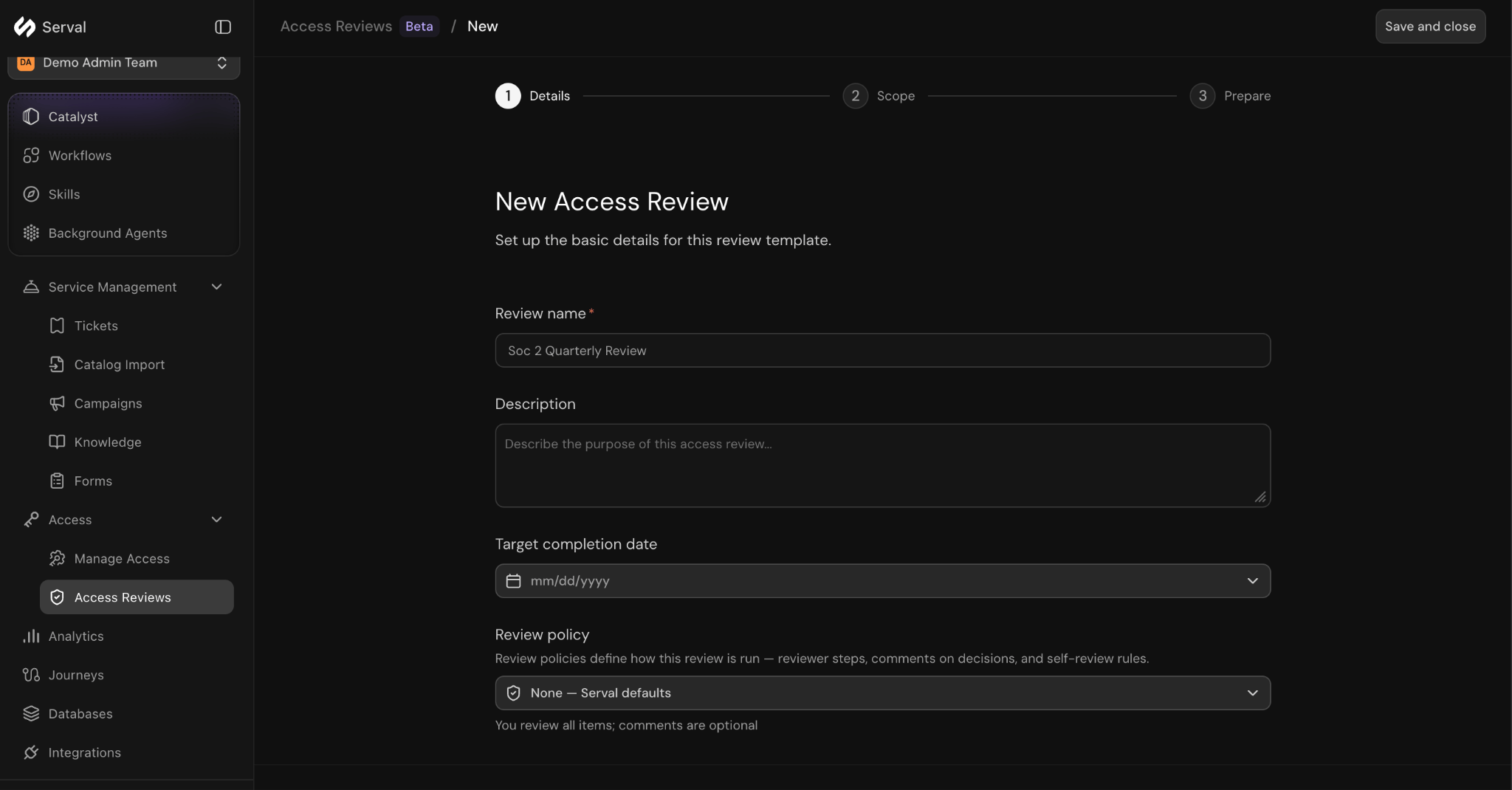
Step 1 of the New Access Review wizard: name the review, set a target completion date, and choose a review policy
Step 2: Scope
Your scope filters down the grants that will be reviewed. Choose one of two scope options, then click Configure scope:- Manual scope: hand-pick the teams, applications, resources, and roles to review.
- Tag-based scope: review everything carrying the tags you select within a single team.
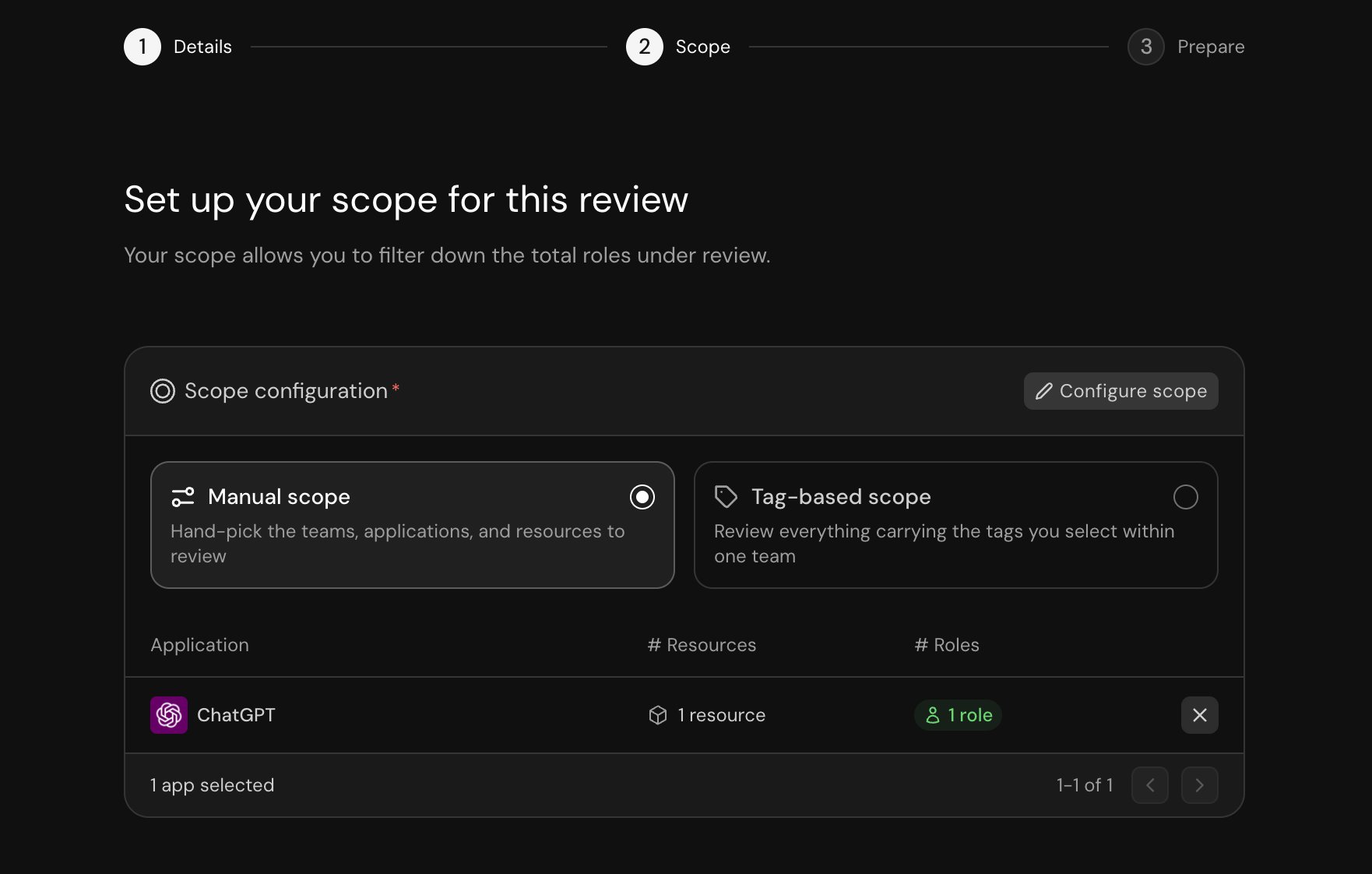
Manual scope: hand-pick the applications, resources, and roles to review
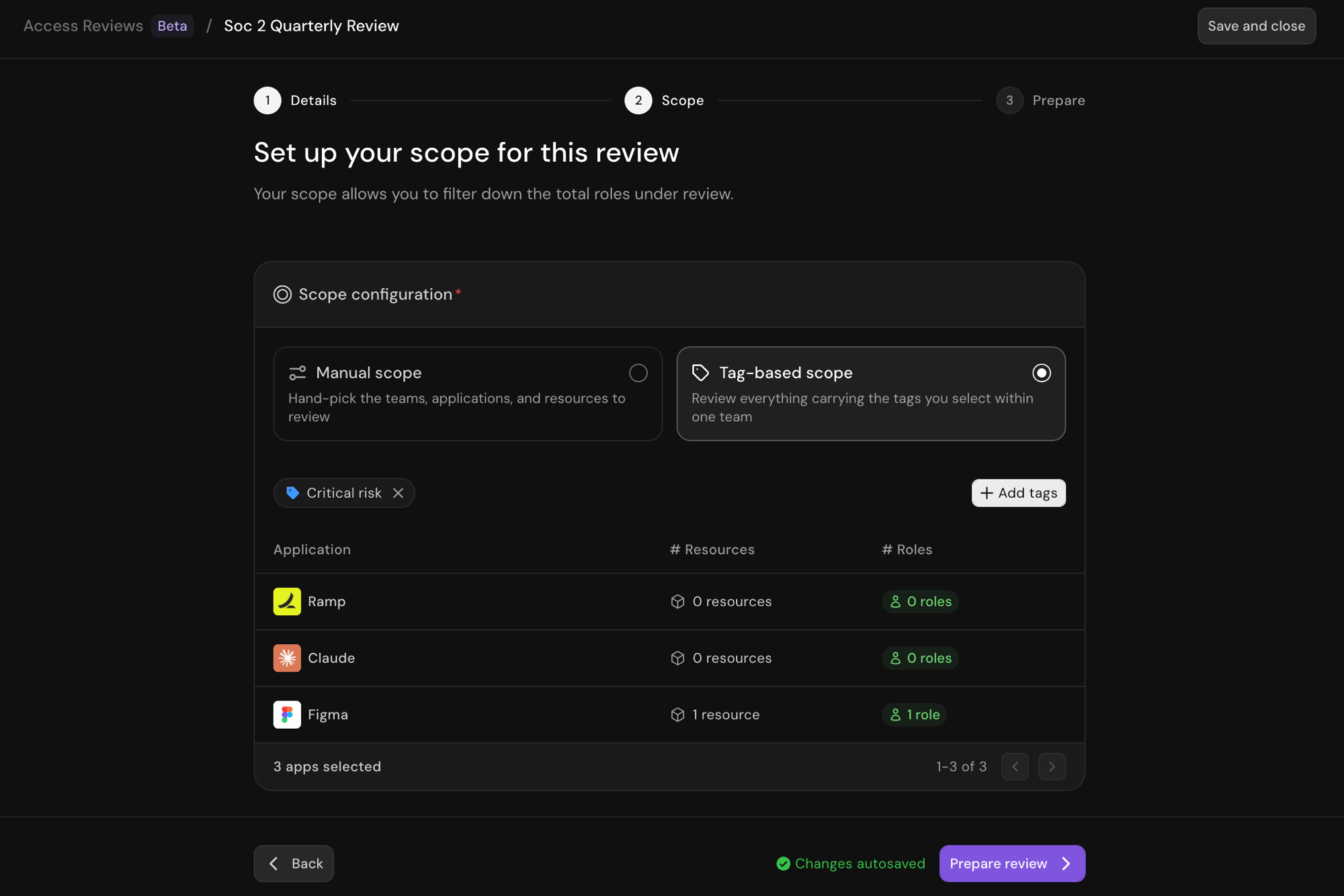
Tag-based scope: review everything carrying the tags you select within one team
Reviews cover the grants Serval already knows about. If Serval doesn’t automatically track who has access to an application, import the current grants first so they’re in scope. Open the application, go to its Access Management view, open the ⋯ (more actions) menu, and choose Import grants from a file. Upload either a CSV export (up to 15 MiB and 500,000 rows) or a PNG, JPEG, or WebP screenshot of the application’s members list (up to 10 MiB). For a CSV, map each row’s account and role; for a screenshot, Serval reads the accounts, names, roles, and statuses it shows. Review the resulting rows, then commit. Past imports are listed under the application’s Grant imports settings.
Step 3: Prepare and launch
When you continue, Serval prepares a point-in-time snapshot of every account-and-role grant that matches your scope and assigns reviewers to each one based on your review policy. If access changes, those changes aren’t reflected in the snapshot until you prepare a new one. Click Back to return to the scope step, adjust the details or scope, and click Prepare review again. If the scope changed, Serval asks you to confirm and then replaces the earlier snapshot, including any reviewer changes you made to it. If the scope didn’t change, you return to the same prepared review. The prepared list shows each Account, the Role it holds, and the assigned Reviewers.Drafts and prepared-but-unlaunched reviews are saved to your team, so you can continue setting up a review, or click Back to re-scope it, from any browser until it launches.
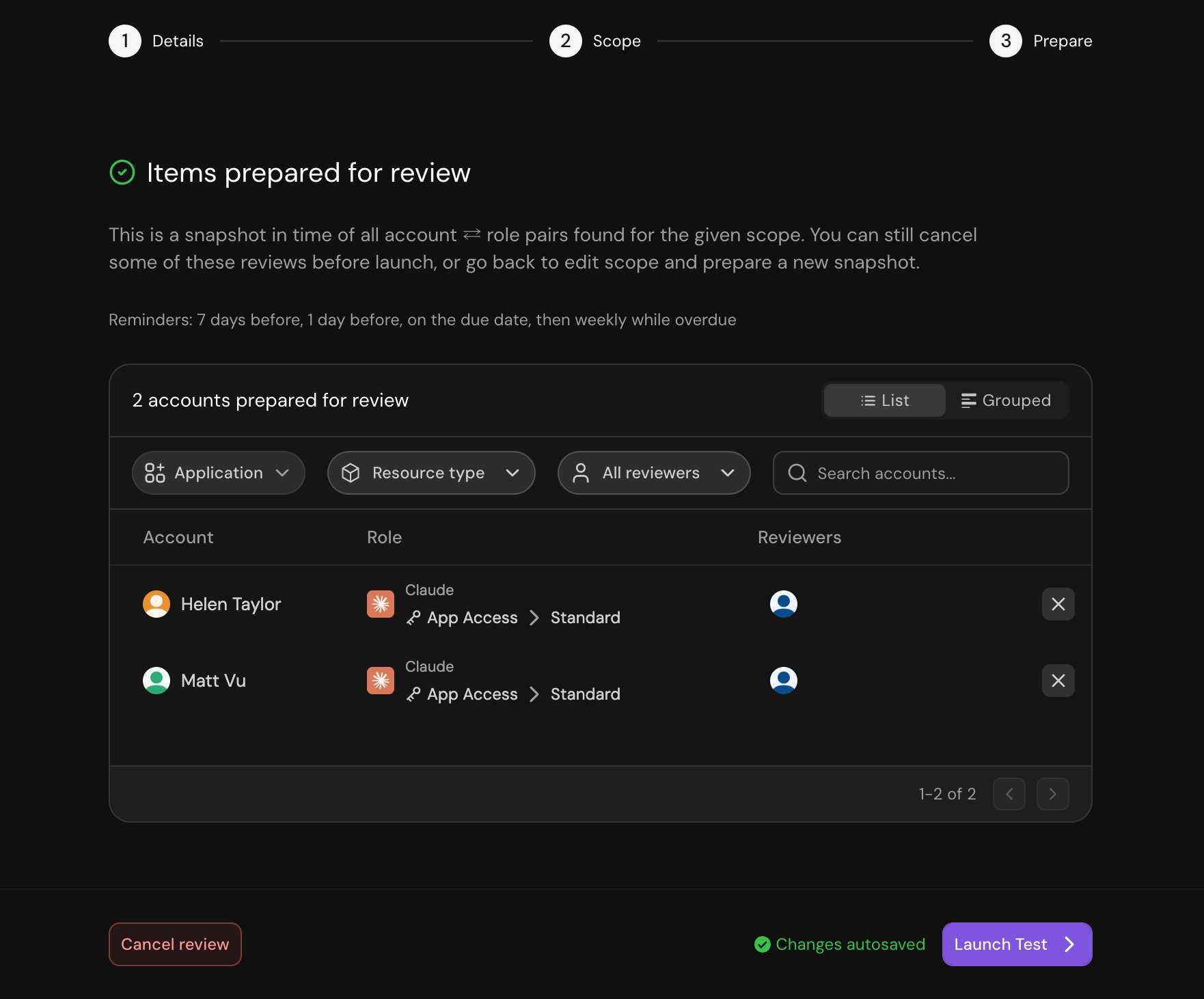
Step 3: the prepared snapshot of account-and-role grants and their reviewers, ready to launch
Review policies
A review policy defines the way in which a UAR runs: who reviews each grant, whether reviewers must comment, and whether people can review their own access. Review policies are managed under Settings → Review Policies. You can access the review policy creation flow in two different locations:- When setting the Review policy in the new UAR creation flow, click + Create policy
- Navigate to Settings → Review Policies and click + Create policy
- Policy Name and Policy Description: a name and a one-line note about when to use the policy.
- Require comments on decisions (Yes / No): whether a reviewer must add a justification with every decision.
- Allow self-review (Yes / No): whether a reviewer can decide on their own access.
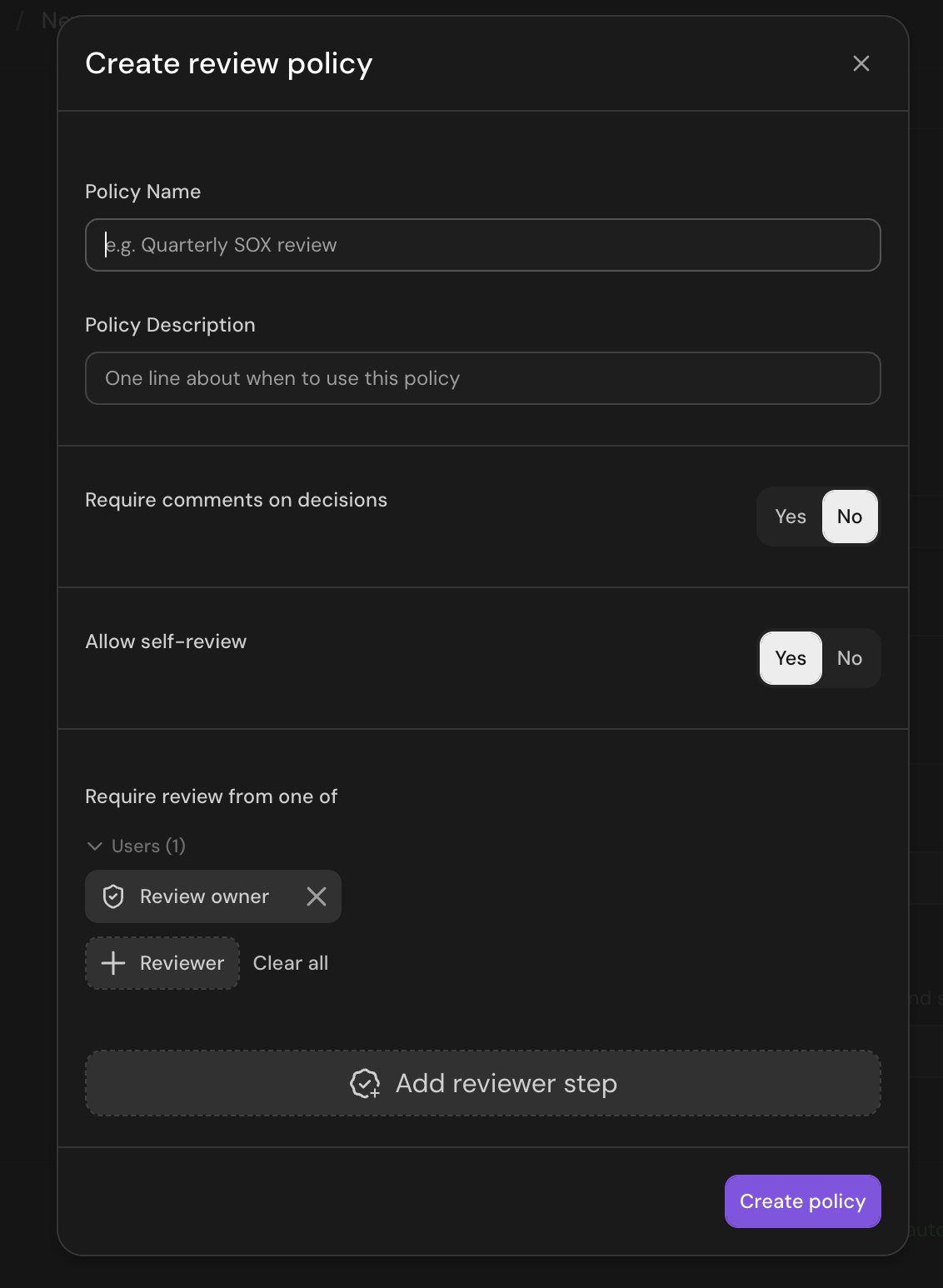
The Create review policy dialog: comment and self-review rules, plus the reviewer steps
Complete a UAR (reviewers)
Reviewers work from the My pending tasks tab of a running UAR. For each grant, choose one decision:- Certify: the access is still appropriate. Keep it.
- Deny: the access is no longer justified. Mark it for revocation.
- Skip: don’t make a decision on this grant.
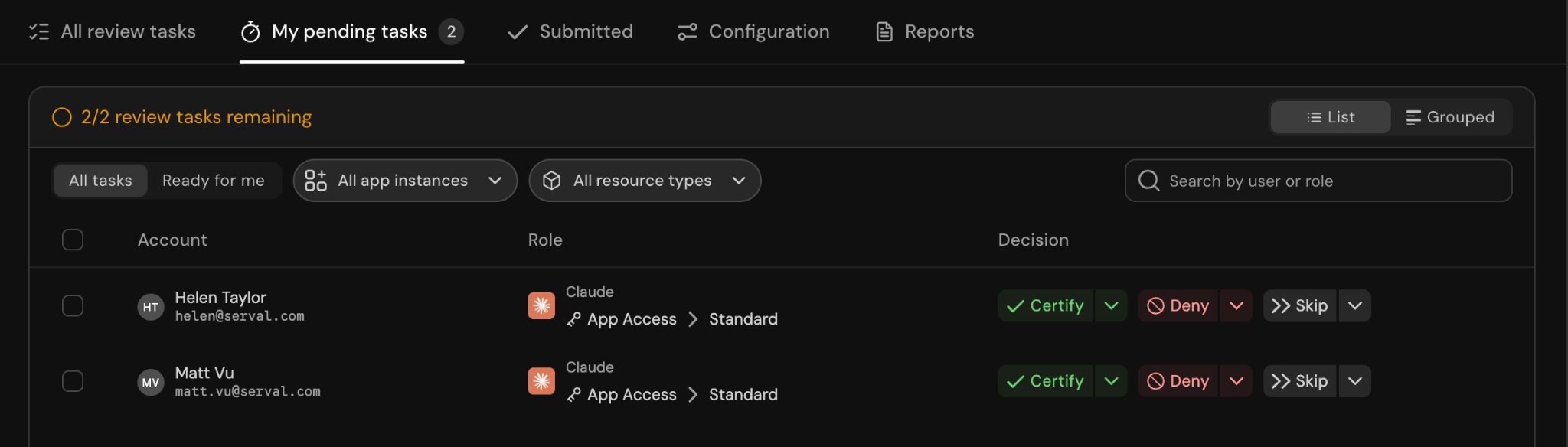
A reviewer's My pending tasks: certify, deny, or skip each grant
Manage a UAR (review owners)
The review detail page gives the owner a full view through several tabs:- All review tasks: every grant, its reviewers, and its Final decision (Pending, Certified, Denied, or Skipped).
- My pending tasks: grants awaiting your own decision.
- Submitted: decisions already recorded.
- Configuration: the review’s scope, its pinned policy, its notification settings, and the Generate AI insights toggle.
- Reports: generate and download the audit export (see Reports).
- Override decisions: change a reviewer’s decision on any grant.
- End review: finish a review before every item is decided. You choose whether to skip the remaining items or deny them. You can also reopen or cancel a review.
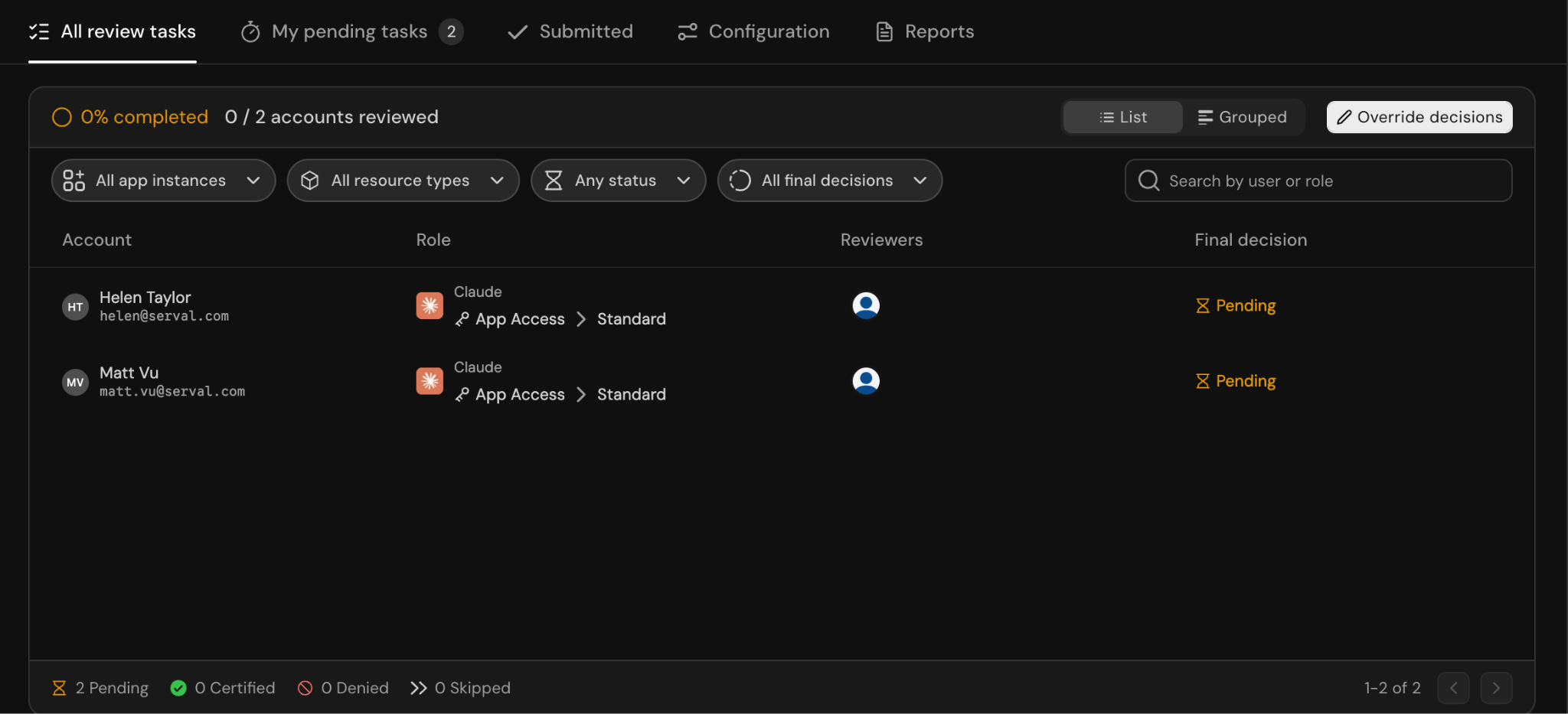
The review owner's All review tasks view, with each grant's final decision and Override decisions
AI insights
AI insights are opt-in per review and off by default. A review with the toggle off runs exactly as described above.
Turn on AI insights
- When you create the review: on the Details step, under AI insights, turn on Generate AI insights. The launch screen confirms that AI insights will be generated for every task after launch.
- On a running review: open the Configuration tab and turn on the same toggle. Serval asks you to confirm, because generation starts for every open task.
Suggested actions
Each task gets one of three suggestions:- Certify: the signals support keeping the access.
- Revoke: the signals point to removing the access. Accepting it records a Deny decision.
- Flagged: the signals are mixed or too thin to suggest a decision. A flagged task has no suggested comment and needs your own decision.
Review with AI insights
- Insight column: a one-line summary for each task. A task whose insight hasn’t been generated yet shows a dash.
- Accept suggestion: the decision button highlights the suggested action. Click Accept suggestion to record it with the suggested comment as your justification, or open the decision dialog to edit the comment first. If the review’s policy requires comments, the suggested comment satisfies it — on the rare task that has none, record your own.
- Insights: expand a task to read the insight bullets and the Suggested comment. Green bullets support keeping the access, red bullets argue for removing it, and the rest add neutral context.
- Current access: the expanded task also lists the other applications the person currently has access to. View all opens the full list.
- Filter by suggestion: the All suggestions filter narrows the table to the tasks Serval suggested to Certify or Revoke, or Flagged.
- Accept in bulk: select tasks and click Accept suggestions to accept every selected suggestion at once. Flagged tasks and tasks without an insight are skipped and stay selected.
Decisions and remediation
A Denied decision records that access should be removed. It doesn’t remove the access on its own. When the review is complete, the owner selects the denied grants and runs remediation to actually deprovision them. This keeps the review separate from remediation, so you can complete and audit a review before any access is touched.Reports
From the Reports tab, Generate report produces an audit export; its menu chooses the format. XLSX workbooks include a summary, resources in scope, the full per-grant decision matrix, and revocations. CSV exports contain the per-grant decision matrix for importing into analysis and compliance tools.Related
Access management overview
Roles, access policies, and provisioning.
Access profiles
Control who can request which roles.