

Journeys is in open beta and the product is actively evolving.
Journey overview
The overview page lists all tasks by assignee and displays their status. It is only visible to members of the Serval team that owns/created the journey. Users with access to the journey overview can also see the requester and stakeholder views.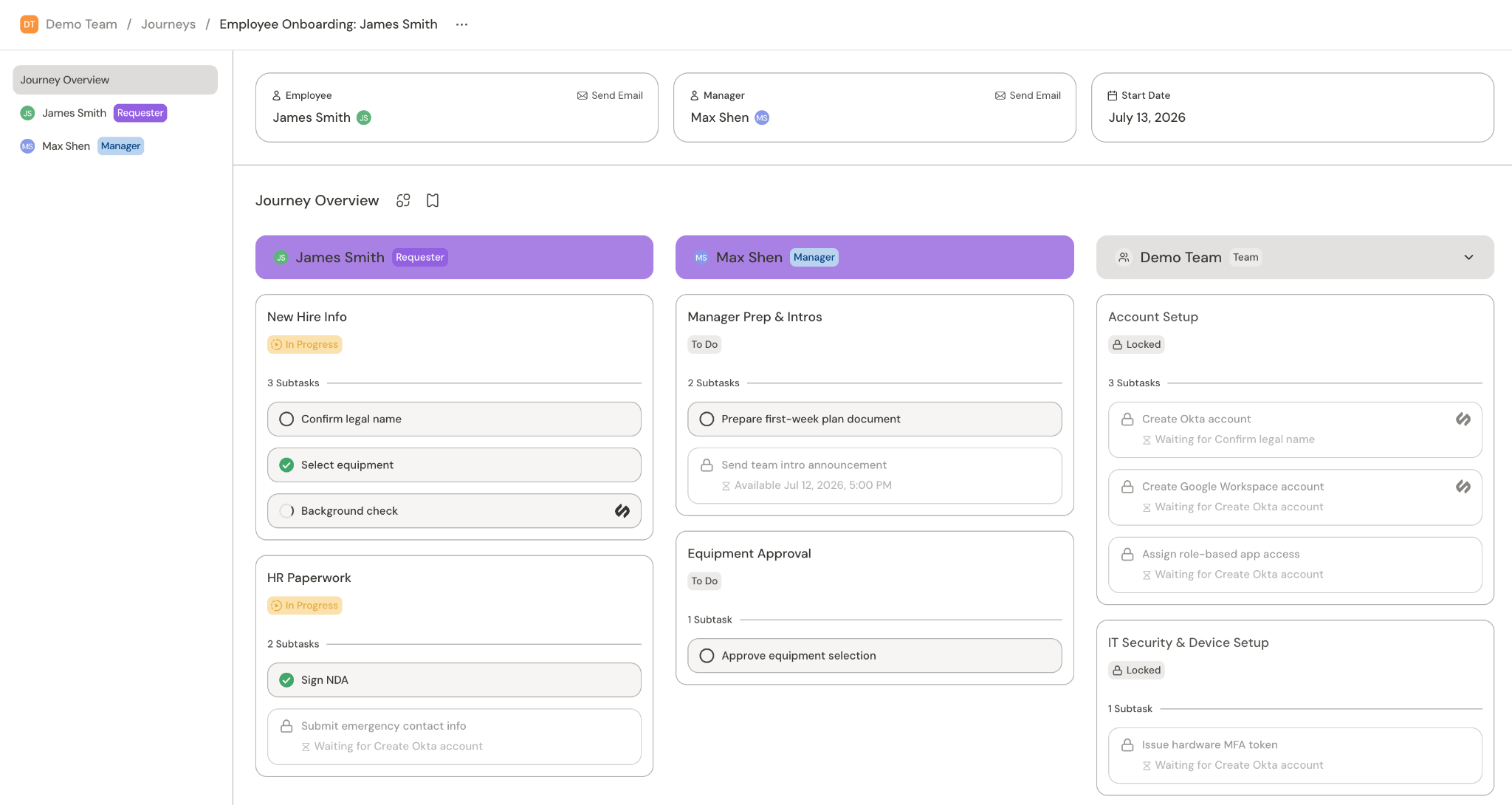
Team workspace
Where the redesigned journey workspace is enabled, use Switch views above the task area to select Journey Overview or a participant. The journey snapshot stays on the left on wider screens, and its progress follows the selected view. When the view tabs no longer fit the available width, Switch views becomes a centered dropdown. Search for a participant in the menu, or select Journey Overview to return to all columns. On small screens, the snapshot starts collapsed above the task area. Select Journey snapshot to open a bottom sheet with the full progress breakdown, links, people, and custom fields. Scroll inside the sheet to reach Configure fields. Your existing permissions still apply. Close the sheet, press Escape, or select outside it to return to your tasks. On wider screens, drag the edge between the snapshot and task area to resize it. Your width is remembered when you switch views or return to the journey. You can also focus the resize handle and use the arrow keys.- Journey Overview: A single progress ring summarizes the journey’s tasks. The requester and each stakeholder with tasks have separate columns, followed by team columns. Each group shows its task count and progress. Assigned tasks show their owner’s icon; unassigned tasks have no owner icon. Completed groups start collapsed. Scroll horizontally to reach additional columns.
- Participant: The task area shows that person’s task content and checklist on a plain background. The snapshot shows their progress, with a second ring for others when others have tasks. Task labels use the selected person’s name.
Requester view
The requester view is for the person going through the journey (e.g. the new hire). They can see all of their tasks, as well as hover over the timeline to see tasks assigned to others.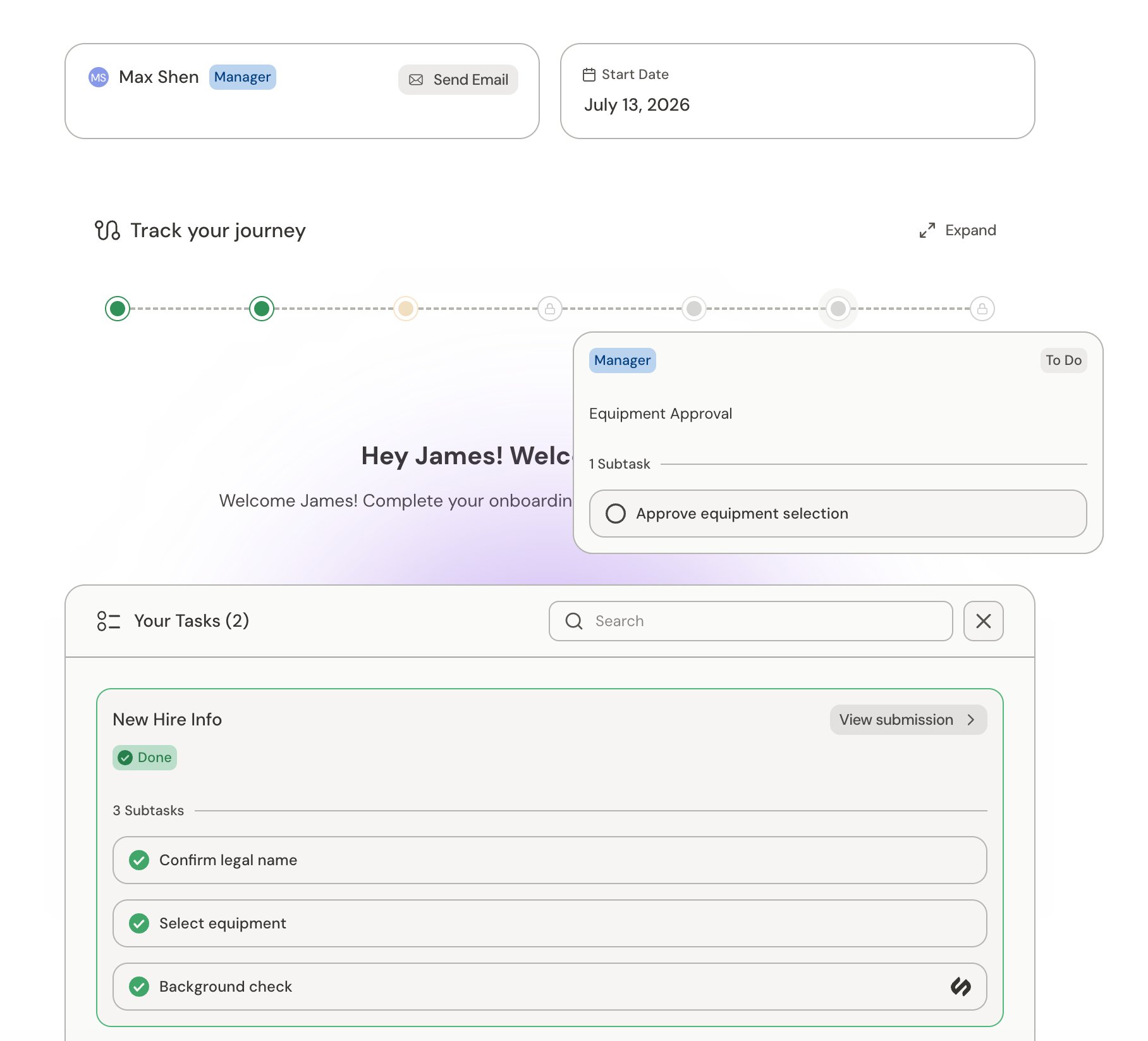
Stakeholder view
Each stakeholder, such as the requestor’s manager, gets their own view with a list of tasks assigned to them. They can also hover over the timeline to see the status of tasks assigned to others.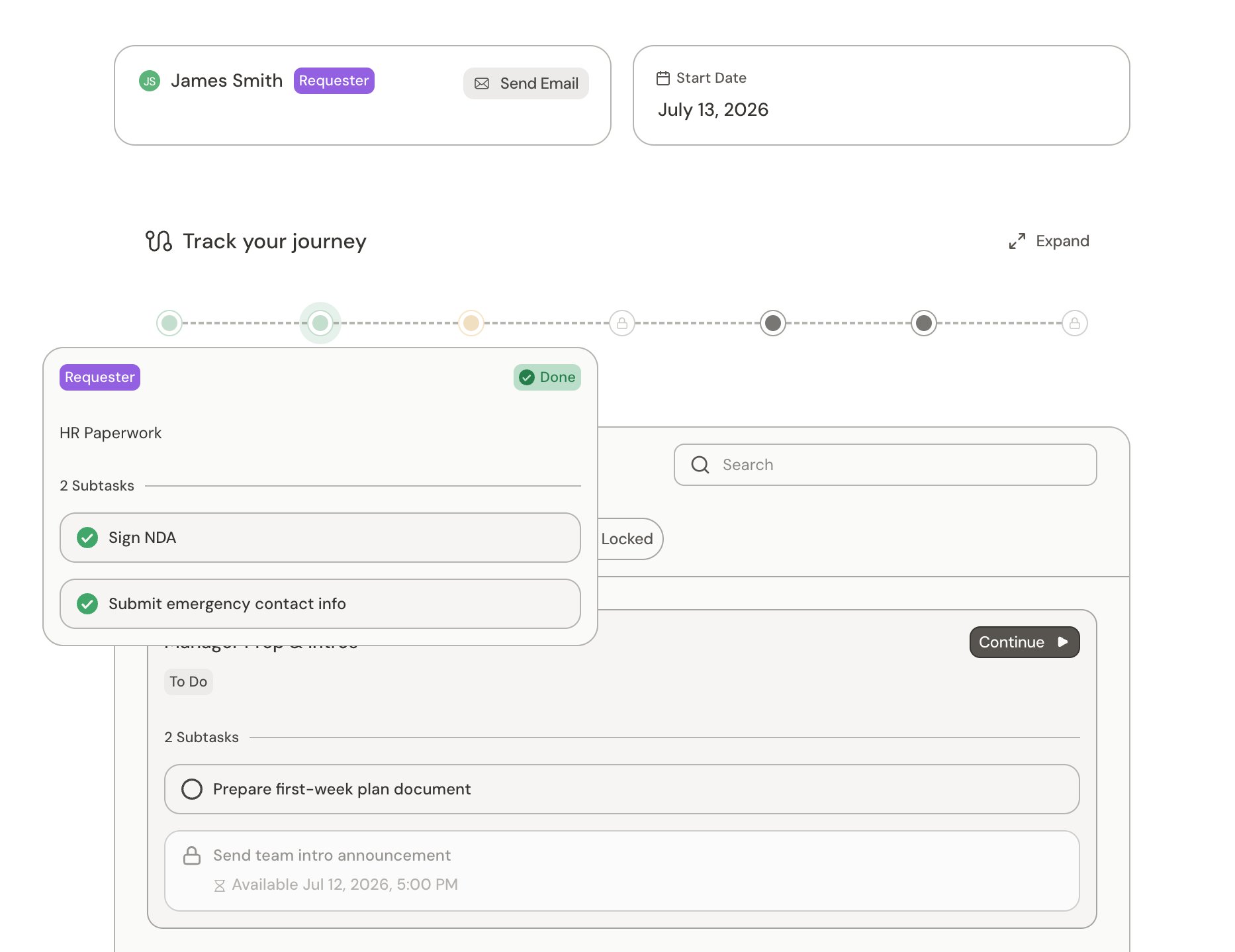
Progress in the checklist view
Where the redesigned checklist view is enabled, requester and stakeholder pages show your unfinished tasks in a carousel above the checklist. The heading reflects your completed tasks; searching or filtering the checklist doesn’t change your progress. When you view another participant, the progress heading, banner, and snapshot name that person and count only their tasks; your own view keeps the personal wording. Standalone tasks appear as individual cards without group headers in the journey home view, task checklist, and team overview. Select a task in the carousel or checklist to inspect it. Locked tasks show their prerequisites or scheduled availability; their submission actions remain unavailable. An information icon opens details for tasks that block other work. The journey snapshot shows your progress, other participants’ progress, and journey details. It collapses to leave more room for tasks on smaller screens. Select it to reopen the full breakdown. Workspace navigation is available through Open sidebar or the compact navigation bar on narrow screens. On task pages, the progress banner shows your personal completion count. Select it to open the suggested available task. The suggestion changes when task availability changes, not when you browse the carousel. When no task is available, the banner only shows your progress. Opening another participant’s task shows its owner and status; form instructions, fields, and reference documents are shown only for your own tasks. When you select Submit, the form shows submitting feedback while the request and workflow status are checked. A successful submission shows Submitted, followed by a transition to the next available task. Advancement checks later tasks first, then earlier available tasks. Reopening a completed task shows its submitted form. If no task is ready yet, the view waits for refreshed availability or confirmed completion. If submission fails, the form returns with your response so you can try again. You can inspect an unsigned document and leave the task without a discard warning. The warning protects edits you have made to the form and file uploads in progress. A document that still needs a signature keeps Submit disabled until signing is complete. A locked task also shows its prerequisites and their assignees, or its scheduled availability, in a compact warning banner beside the task icon. Select a linked prerequisite to inspect that task. The lock beside the task title still opens dependency details. On mobile task pages, Back to home and Checklist appear above the form. Select Checklist to open the checklist in a bottom drawer, then scroll inside the drawer to browse the full list. When AI assistance is available, Ask Serval appears beside Checklist and opens the conversation in a bottom drawer, leaving the full page height for the form. The button uses your organization’s configured assistant name and logo. If all your remaining tasks are locked, the carousel stays visible. Open a task’s dependency details to see what it is waiting for. When you finish your tasks, a completion message replaces the carousel and shows whether others still have work. If you have no assignments, the page says No tasks assigned to you instead. The Others’ tasks checklist shows all assignees together, with names and dividers inside each task group. Use the filter menu’s Status and Assignee submenus to narrow the list. You can select multiple options in either submenu and combine them with search. The browser remembers your selections for this journey. Reset filters clears status and assignee selections while keeping your search text. Use the available actions to continue:- View others’ tasks: Open the other-task checklist, clear search and filters, and expand the task groups across all assignees.
- Review completed tasks: Open your completed tasks, or completed tasks across other assignees if you had no assignments. This clears search and assignee selections, selects the Done filter, and expands the relevant groups.
- Clear filters: If no checklist tasks match your filters, clear search, status, and assignee filters while keeping your current ownership tab.
Journey chat
In the default requester and stakeholder views, you can start a chat with the Help Desk agent. Ask what a step means, how to complete it, or what is blocking you. When the agent cannot resolve something on its own, it can escalate the conversation to a ticket for your team.Task assistant in the redesigned view
Where the redesigned task view is enabled, each task assigned to you has its own conversation when AI assistance is enabled for that task. You can ask about locked tasks while their submission actions remain unavailable. Enabling AI for the journey does not automatically enable it for every task. On wide screens, the assistant appears beside the form and checklist. On smaller screens, use the organization-branded Ask button beside Checklist to open the assistant in a drawer. The button uses your organization’s configured assistant name and logo. Use Previous, Next, or the checklist to choose a task. The assistant’s task label and conversation follow your selection. Closing and reopening the same task’s chat preserves your unsent message. The input expands for longer drafts and supports attachments. Opening chat loads the conversation; sending a message asks the assistant to respond. Tasks with AI assistance disabled do not show the assistant, even if they have earlier messages.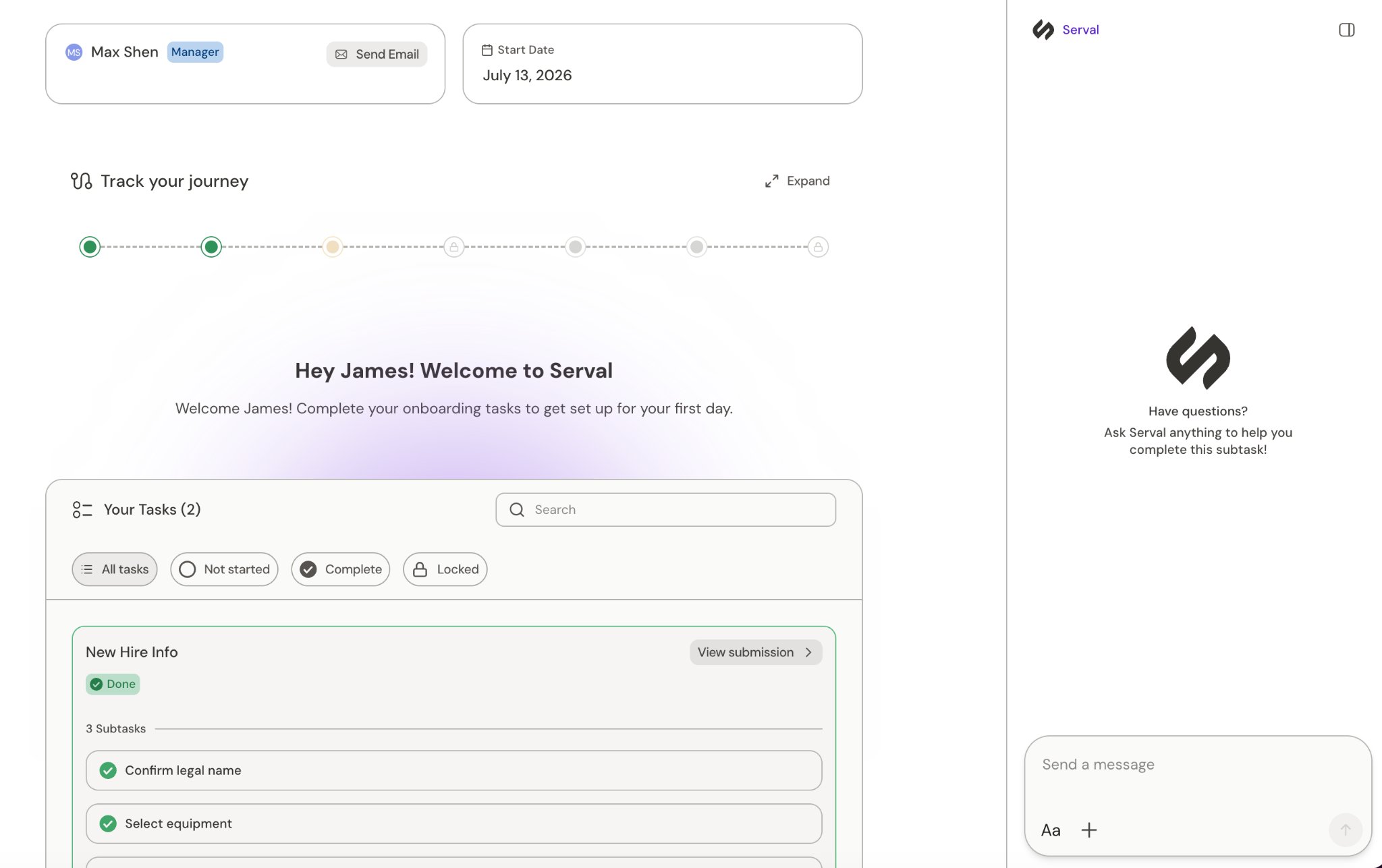
Related
Journeys
What journeys are and how the pieces fit together
Journey tasks
Overview of journey tasks
Monitor and manage journeys
Track journeys and their tasks as an admin
Cross-team journeys
Use a journey to manage tasks for a team
Workflows
The automations behind each task
Building journeys
Design and build journeys in Catalyst