

Adjust agent behavior
To adjust behavior, navigate to your team settings and open Help Desk Agent Behavior. Behavior only applies to one team at a time.Only Team Managers can change Help Desk agent behavior settings.
Set requester follow-ups
When a ticket is waiting on the requester, the agent can remind them automatically and, after a set number of tries, close the ticket.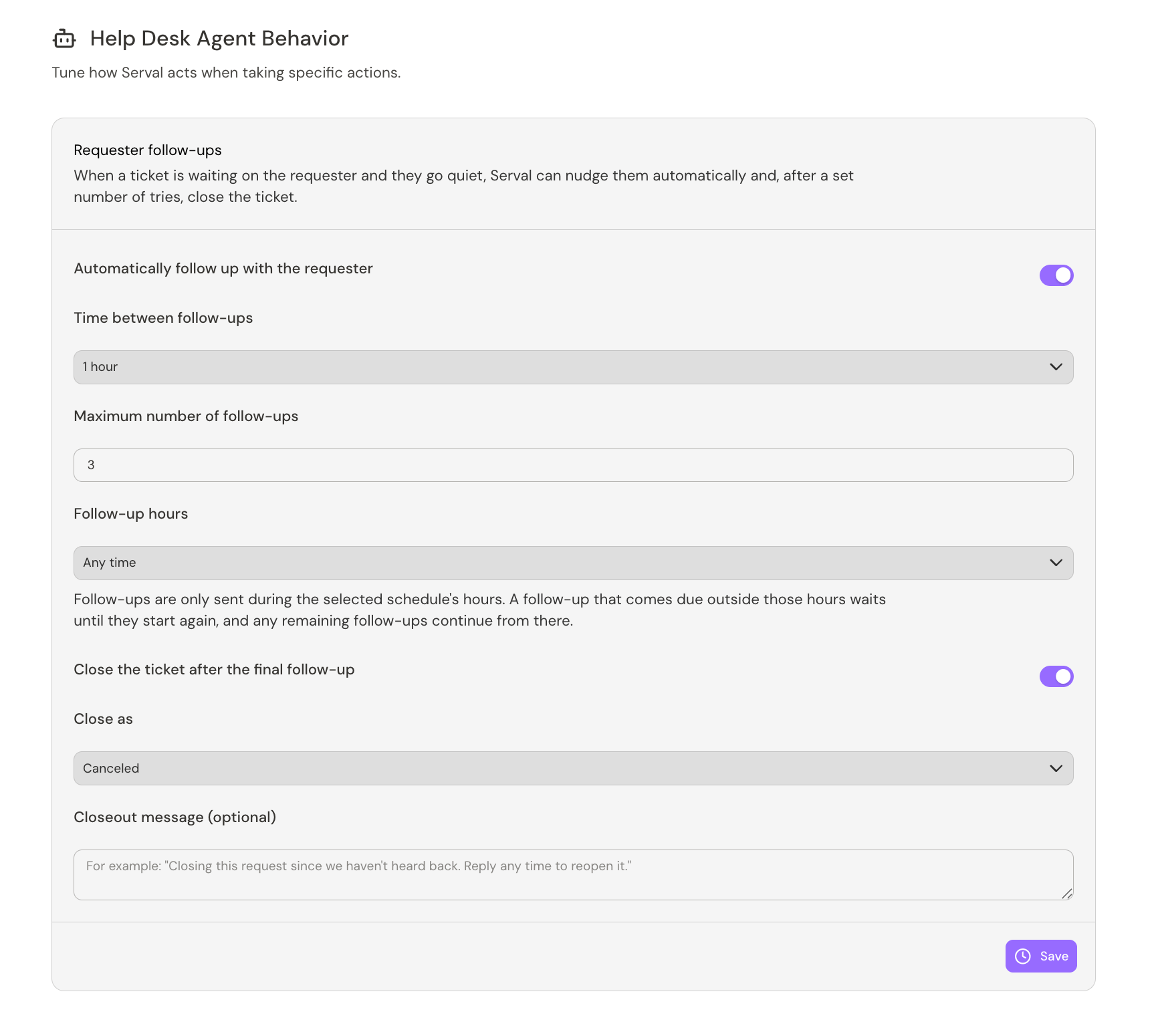
Requester follow-up settings
- Time between follow-ups: How long the agent waits before each reminder. Pick a preset duration or set a custom one.
- Maximum number of follow-ups: How many times the agent reminds the requester before it stops.
- Follow-up hours: Limit the time range in which the agent can send reminders. Set to Any time, or pick a schedule. A reminder that comes due outside the schedule’s hours waits until the next window, and any remaining follow-ups continue from there.
- Follow up on escalated tickets: By default, follow-ups only run on tickets the agent is handling. Turn this on to also follow up on tickets that have been escalated to a human, once a teammate’s reply is waiting on the requester.
- Customize follow-up messages: By default the agent writes each reminder itself. Turn this on to set your own wording for individual follow-ups. Each one can stay AI-generated or be switched to Custom, including the final follow-up.
Close the ticket after the final follow-up
To close the ticket if the requester doesn’t respond after the final reminder, turn on Close the ticket after the final follow-up, then set:- Close as: The status the ticket moves to when closed. Choose any status in the Done or Canceled group.
- Closeout message (optional): A message the agent posts to the ticket when it closes it. Leave it blank to close without a message.