

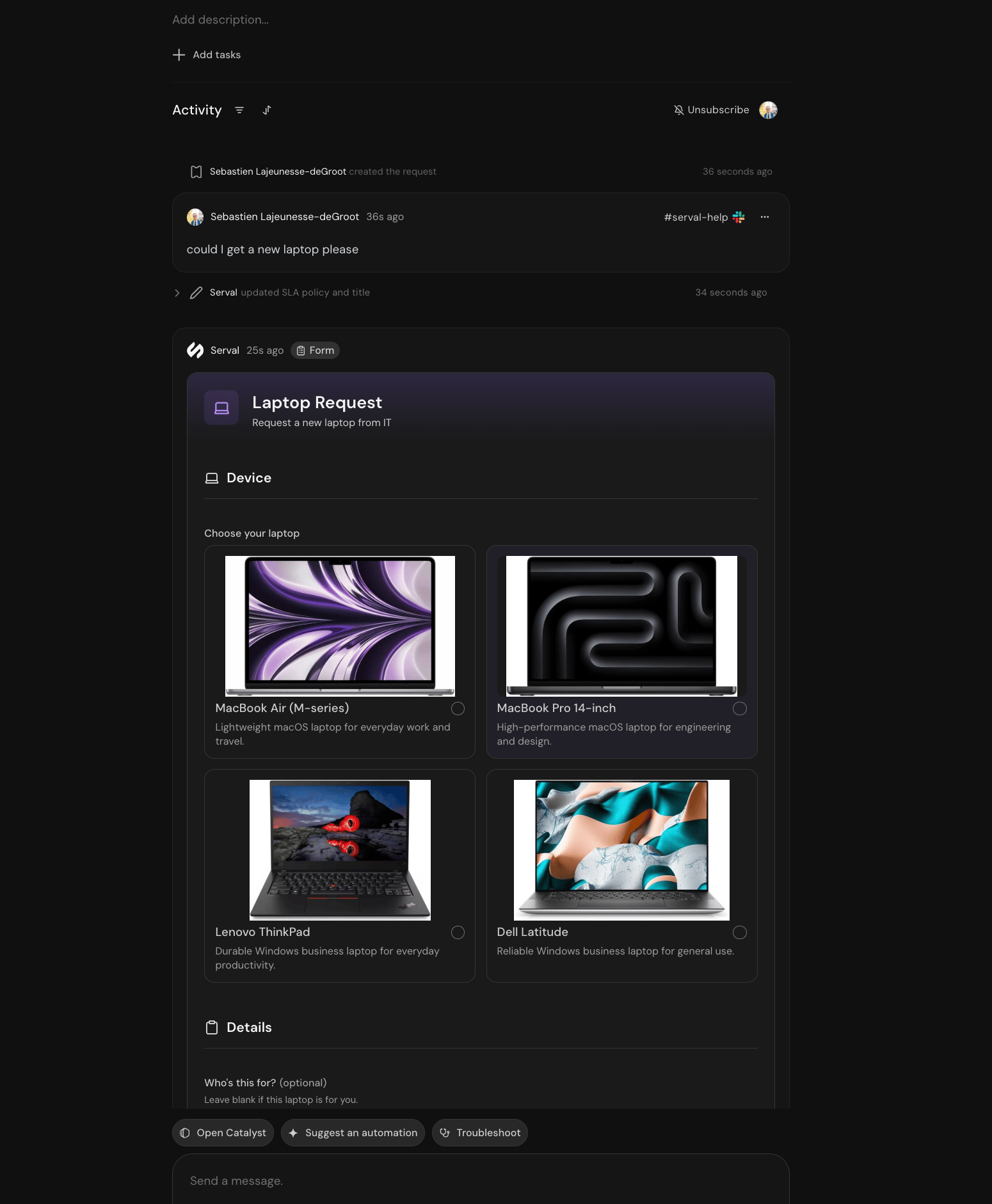
A form opened in a ticket, with product images on the options
Where forms live
Forms live on a team. In the compact rail, open Library → Forms. In the classic sidebar, open Forms in the Service Management section.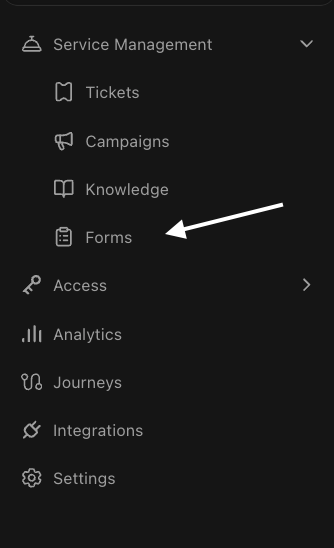
Forms in the classic team sidebar
Why Serval forms
When to use a form
Need only a parameter or two before running an automation? Workflow inputs may be enough. Reach for a form when the request has sections, logic, live data, and a lifecycle worth versioning.
Lifecycle
1
Build
Describe the form to Catalyst, or edit its code directly.
2
Preview and publish
The preview is the real form, rendered by the real engine.
3
Employees fill it in
From the catalog, a link, or because the Help Desk Agent offered it in their ticket.
4
Submit starts the workflow
Every submission and its run appears under Run history.
Create a form
Build, preview, and publish your first version.
Fields and layout
Every field type, its validation, and how to lay out sections.
Logic and workflows
Conditional fields, live data, and the submit handler.
Share and fill
Catalog, tickets, Slack, and who can open a form.