> ## Documentation Index
> Fetch the complete documentation index at: https://docs.serval.com/llms.txt
> Use this file to discover all available pages before exploring further.
# Forms overview
> Build structured request forms that validate answers, pull live data, and hand a clean payload to a workflow.
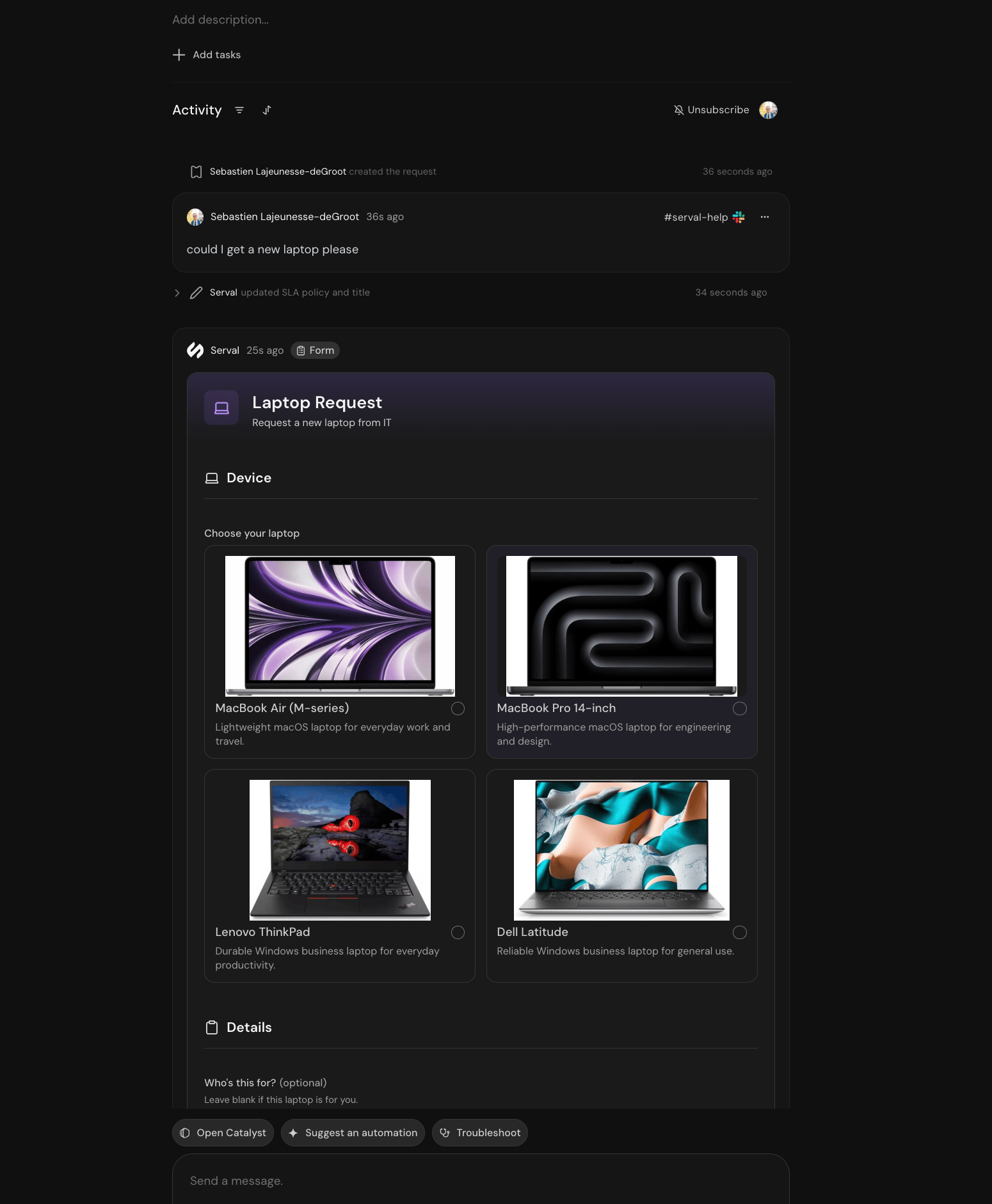
Forms collect structured information from employees and hand it to a workflow. Instead of a free-text ticket an agent has to chase down, a form asks the right questions, validates the answers, and starts the automation with a complete payload.
 ## Where forms live
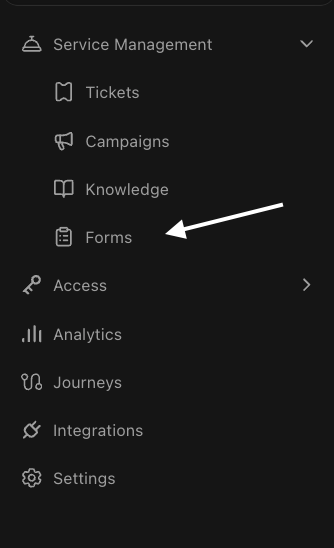
Forms live on a team, under **Service Management → Forms**.
## Where forms live
Forms live on a team, under **Service Management → Forms**.
 ## Why Serval forms
| Capability | What it means |
| :---------------------------- | :-------------------------------------------------------------------------------------------------------- |
| **Built by describing them** | Tell Catalyst what to collect. It writes the fields, validation, and submit workflow. |
| **Live data inside the form** | A form can run a workflow while it's open: check stock, look up a manager, price a license. |
| **Conditional by default** | Fields appear, become required, or change options based on earlier answers. |
| **Typed answers** | Dates, durations, uploads, database records, and Serval users are real field types with real constraints. |
| **One form, every surface** | The same form renders in the catalog, in a ticket, and as a Slack modal. |
| **Versioned like a workflow** | Edits autosave to a draft. Publishing deploys a version. Every version is restorable. |
## When to use a form
| Use a form when | Example |
| :--------------------------------------- | :---------------------------------------------------------- |
| A request always needs the same facts | Laptop request: model, justification, needed-by date |
| Answers must be valid before work starts | Access request: a real system, a real role, a real expiry |
| Questions depend on earlier answers | Onboarding: contractor or employee changes what you collect |
| The requester picks from real data | A cost center, an application, a device from a database |
Need only a parameter or two before running an automation? [Workflow inputs](/sections/documentation/workflows/Configure/inputs) may be enough. Reach for a form when the request has sections, logic, live data, and a lifecycle worth versioning.
## Lifecycle
Describe the form to Catalyst, or edit its code directly.
The preview is the real form, rendered by the real engine.
From the catalog, a link, or because the Help Desk Agent offered it in their ticket.
Every submission and its run appears under **Run history**.
***
Build, preview, and publish your first version.
Every field type, its validation, and how to lay out sections.
Conditional fields, live data, and the submit handler.
Catalog, tickets, Slack, and who can open a form.
## Why Serval forms
| Capability | What it means |
| :---------------------------- | :-------------------------------------------------------------------------------------------------------- |
| **Built by describing them** | Tell Catalyst what to collect. It writes the fields, validation, and submit workflow. |
| **Live data inside the form** | A form can run a workflow while it's open: check stock, look up a manager, price a license. |
| **Conditional by default** | Fields appear, become required, or change options based on earlier answers. |
| **Typed answers** | Dates, durations, uploads, database records, and Serval users are real field types with real constraints. |
| **One form, every surface** | The same form renders in the catalog, in a ticket, and as a Slack modal. |
| **Versioned like a workflow** | Edits autosave to a draft. Publishing deploys a version. Every version is restorable. |
## When to use a form
| Use a form when | Example |
| :--------------------------------------- | :---------------------------------------------------------- |
| A request always needs the same facts | Laptop request: model, justification, needed-by date |
| Answers must be valid before work starts | Access request: a real system, a real role, a real expiry |
| Questions depend on earlier answers | Onboarding: contractor or employee changes what you collect |
| The requester picks from real data | A cost center, an application, a device from a database |
Need only a parameter or two before running an automation? [Workflow inputs](/sections/documentation/workflows/Configure/inputs) may be enough. Reach for a form when the request has sections, logic, live data, and a lifecycle worth versioning.
## Lifecycle
Describe the form to Catalyst, or edit its code directly.
The preview is the real form, rendered by the real engine.
From the catalog, a link, or because the Help Desk Agent offered it in their ticket.
Every submission and its run appears under **Run history**.
***
Build, preview, and publish your first version.
Every field type, its validation, and how to lay out sections.
Conditional fields, live data, and the submit handler.
Catalog, tickets, Slack, and who can open a form.